

Start
€49.95
- One-off activation.
- No purchase price for the camera.
Health + Thermal
The thermal module clicks on underneath the same Equisense Stable unit. Behaviour and radiometric temperature information come together in the same Cavalett app.
The core
Not a coloured picture, but a measured temperature for every pixel. Thermal places it alongside the behaviour from Health, so you see both together.
Temperature values are indicative. Compare left/right and with previous days.
€69.95/month · camera included · €49.95 activation + shipping · 12 months
Order Thermal →€69.95 / month
Pre-order · €49.95 activation + shipping (from €7.45) today · delivery in December 2026
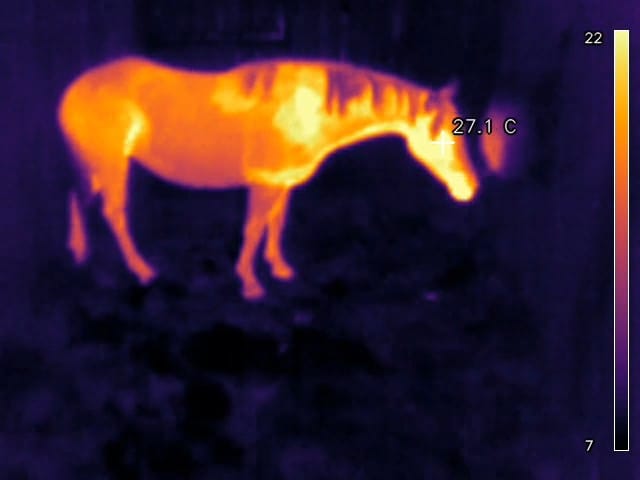
The thermal image
This is a real image from the Thermal module. Warm shows as yellow and orange, cool shows as purple. Every pixel has a measured temperature.
You can read the temperature at any point, here 27.1 °C at the head. The value is indicative; the difference from previous days tells you the most.
The thermal image shows where the body is warmer or cooler. That makes local differences stand out.
Thermal puts both sides side by side. Legs and hooves will follow after validation.
The scale on the right of the image shows which colour matches which temperature in degrees Celsius.
In the app
In the Cavalett app, skin temperature sits right next to your horse's live view, status and movement. One tap and you see how it has changed over time.
The overview shows the current skin temperature, with the time of the latest measurement.
The average for each day and the range from low to high. Tap a day to see how that day went.
Thermal measures when your horse is in the stable and nobody else is in there. A gap in the graph is a moment without a measurement.
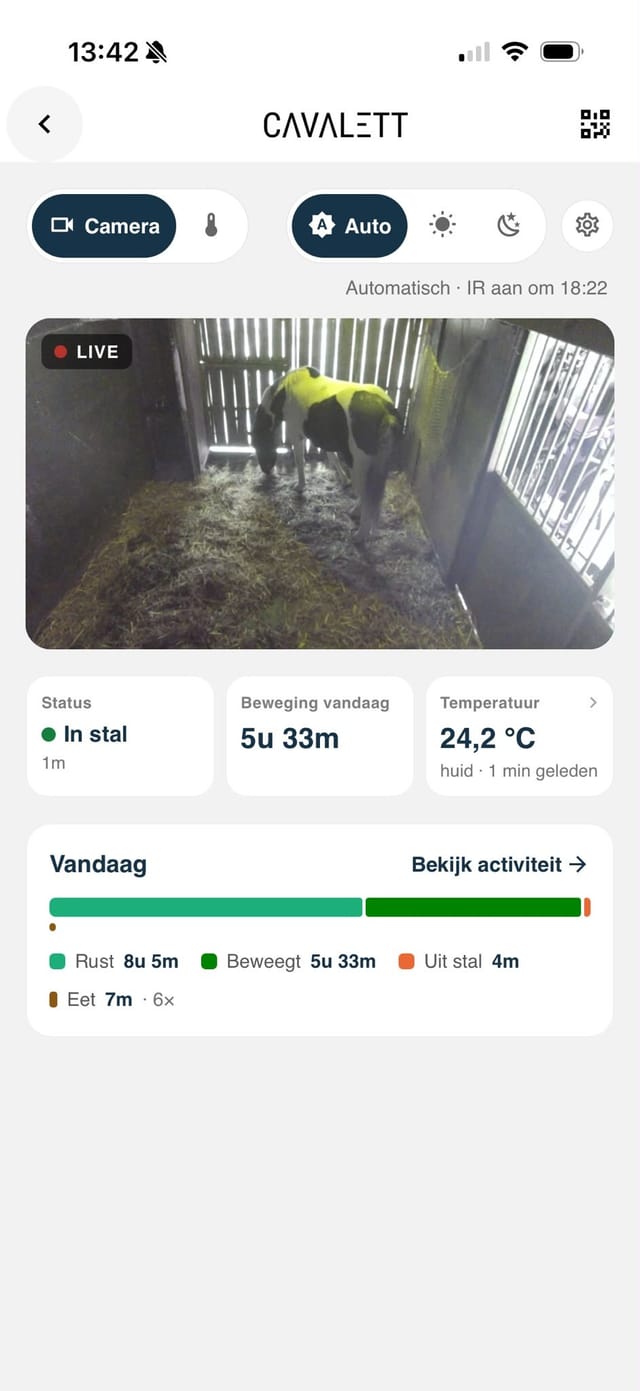
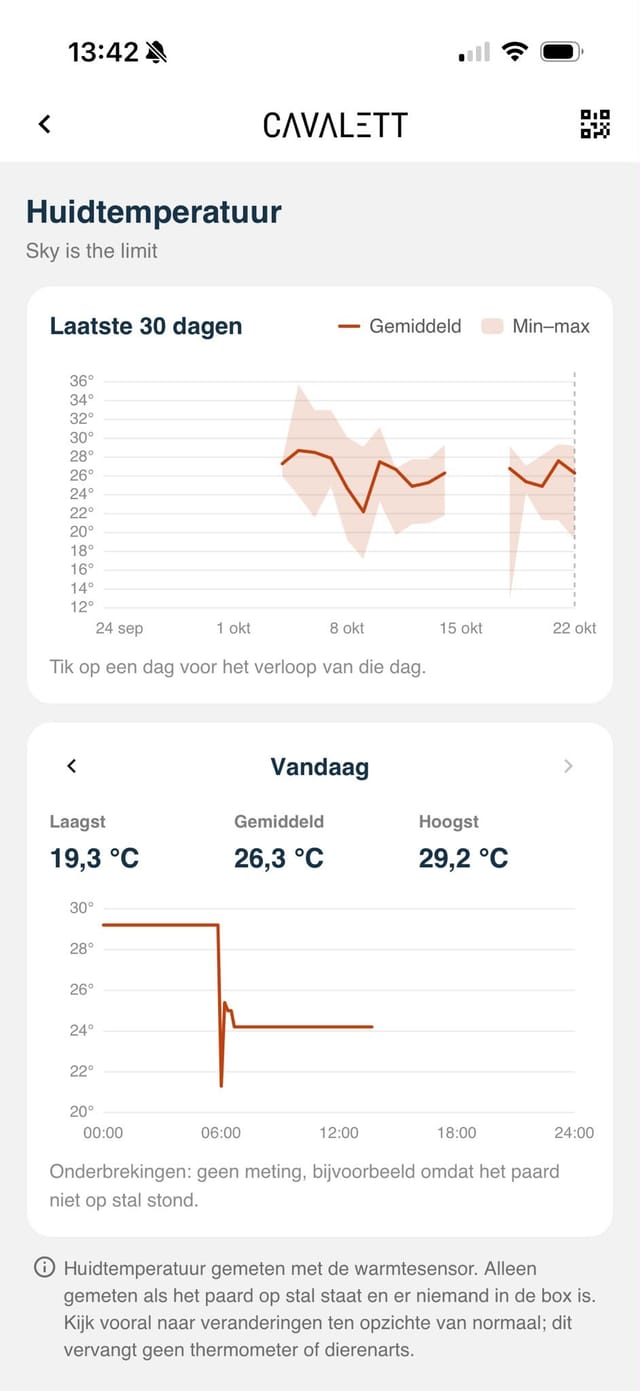
A difference between left and right, or a spot that is warmer than usual, is visible at a glance in the thermal image.
A single temperature says little. Thermal shows the course over days, so you see what is changing.
After rest or treatment, follow how the temperature picture develops compared with previous days.
With thermal images and trends you have something concrete to discuss with your vet or yard manager.
Thermal provides indicative, radiometric temperature information and does not make diagnoses. Legs and hooves will follow after validation. If you have any doubts about your horse's health, contact your vet.
What you receive
The Equisense Stable unit and the click-on Thermal module are delivered to your door with a Quick Start Guide. Hang it up, plug it in and link it in the app.

Included
When you buy Equisense Stable, you automatically get a Pro account in the Cavalett app. That's where you see the thermal image and the temperature trends, receive the Health alerts and watch live.
Normally €4.99 per month
You pay for the monitoring service. The hardware is part of the subscription.
Start
Month 1–12
After 12 months
The camera remains part of Cavalett.
No hardware invoice; you pay only the subscription for as long as you continue. From then on, you can cancel your subscription monthly.
No. Cavalett makes behaviour, trends and deviations visible.
Yes, the system needs wifi. No wifi in the stable? Get in touch with us and we will solve it together via 4G.